Ward Laboratories
Data that moves without people carrying it
Every time someone rekeys an order, reconciles two reports or walks a new partner through a spreadsheet, you're paying a person to do what software should. It's slow, it introduces errors, and it caps how fast you can grow.
Good integrations remove that work, and they let the business take on partners it couldn't serve before. At Ward Laboratories, support for the MODUS data exchange standard opened business channels the old system couldn't serve. Agents are only as useful as the systems they can reach.
- Ward2024, custom cloud LIMS on AWS
- The new custom lab information management system (LIMS), and the hub every other system connects to.
- Ward2004, the legacy desktop system
- Kept in bidirectional sync through a hybrid bridge, so features went live one at a time with no data lost between the two.
- Lab equipment
- Direct integrations with LECO carbon analyzers, Qtegra ICP systems and other equipment, so results flow in without manual re-entry.
- Partner integrations (12+)
- Connected or in development, including Helena and AgWorld (email XML) and FieldAlytics, SST Farmrite/ProAgrica and SoilView (HTTP API), with support for the MODUS data exchange standard.
- Customer portal
- 24/7 access to orders, reports and sample status for Ward's customers.
- Monitoring
- When a sync fails it is retried, then raises an alert, and the runbook says what to do next.
What breaks
Why do integrations break after launch?
The vendor ships a new API version. Built for launch day.
- ChangedPartner or vendorRetires the endpoint you call.
- Not builtChecks at the boundaryNo check on what comes back.
- FailedThe integrationCalls an endpoint that no longer exists.
- FailedYour platformOrders stop arriving.
Who finds out first
A customer, when an order never arrives.
- 01The vendor retires the old endpoint.
- 02Every call now returns an error, and the order is dropped.
- 03Nothing alerts, and an empty queue looks like a quiet day.
- 04A customer calls to ask where the order is.
The vendor ships a new API version. Built for change.
- ChangedPartner or vendorAnnounces a new version.
- WorkingChecks at the boundaryThe schema check passes.
- WorkingThe integrationStays on the version it was built for.
- WorkingYour platformOrders keep arriving.
Who finds out first
Your team, from a deprecation alert, before the old version is switched off.
- 01The vendor announces the new version.
- 02The versioned client keeps calling the version it was built for.
- 03Monitoring raises a deprecation warning.
- 04The move to the new version ships in a planned release.
The linked runbook
An example
- What failed
- The vendor deprecated the endpoint we call.
- What it affects
- Nothing yet. Orders still flow.
- Who owns it
- The integration owner named in this runbook.
- How to recover
- Move to the new version in a planned release.
A partner tightens its rate limit. Built for launch day.
- ChangedPartner or vendorRejects requests above the new limit.
- Not builtChecks at the boundaryNothing slows the requests down.
- FailedThe integrationGives up on the first rejection.
- FailedYour platformRecords go missing.
Who finds out first
Finance, when the month-end numbers do not reconcile.
- 01A busy morning sends more requests than the new limit allows.
- 02The partner rejects the extra requests.
- 03The integration does not retry, so those records are lost.
- 04Two reports disagree at month end, and someone reconciles them by hand.
A partner tightens its rate limit. Built for change.
- ChangedPartner or vendorRejects requests above the new limit.
- WorkingChecks at the boundaryQueues the extra requests.
- WorkingThe integrationBacks off and retries.
- WorkingYour platformEvery record arrives, a little later.
Who finds out first
Nobody needs to. Every record arrives, and the log shows why some were late.
- 01A busy morning sends more requests than the new limit allows.
- 02The partner rejects the extra requests.
- 03The integration waits, then retries each one.
- 04Every record arrives. Nothing is lost.
The linked runbook
An example
- What failed
- The partner rate-limited our requests.
- What it affects
- Some records arrive later than usual.
- Who owns it
- The integration owner named in this runbook.
- How to recover
- No action unless the alert repeats. Then ask the partner for a higher limit.
A service goes down in your busy season. Built for launch day.
- FailedPartner or vendorUnavailable for an hour.
- Not builtChecks at the boundaryNothing holds the work back.
- FailedThe integrationWaits, then times out.
- FailedYour platformScreens that depend on it stop.
Who finds out first
Your users, when the app stops responding.
- 01A service you depend on goes down.
- 02Every request waits for it, then times out.
- 03Pages that never needed that service slow down too.
- 04Your users report that the app is down.
A service goes down in your busy season. Built for change.
- FailedPartner or vendorUnavailable for an hour.
- WorkingChecks at the boundaryHolds incoming work.
- ChangedThe integrationQueues the work until the service is back.
- WorkingYour platformKeeps running. One feature shows a delay.
Who finds out first
Your on-call engineer, from an alert, with the runbook open.
- 01A service you depend on goes down.
- 02The integration stops calling it and queues the work.
- 03The rest of the platform keeps running. One feature says it is delayed.
- 04The service returns, and the queue drains on its own.
The linked runbook
An example
- What failed
- A service we depend on is unavailable.
- What it affects
- One feature is delayed. Everything else runs.
- Who owns it
- The integration owner named in this runbook.
- How to recover
- Confirm the queue drains when the service returns. Escalate to the vendor contact if it does not.
A partner sends a malformed file. Built for launch day.
- ChangedPartner or vendorSends a file with a moved column.
- Not builtChecks at the boundaryNo check on the file.
- ChangedThe integrationImports it as it is.
- FailedYour platformWrong data saved.
Who finds out first
Someone three systems downstream, when a report looks wrong.
- 01A partner moves a column in the file it sends.
- 02The integration imports it without a check.
- 03Wrong values are saved and copied to other systems.
- 04Weeks later, a report looks wrong, and the cleanup starts.
A partner sends a malformed file. Built for change.
- ChangedPartner or vendorSends a file with a moved column.
- WorkingChecks at the boundaryRejects the file at the boundary.
- WorkingThe integrationImports nothing from that file.
- WorkingYour platformData stays correct.
Who finds out first
Your team, from an alert that says which file failed and why.
- 01A partner moves a column in the file it sends.
- 02Validation at the boundary rejects the file.
- 03Nothing wrong reaches your platform.
- 04The partner gets the reason, and sends a corrected file.
The linked runbook
An example
- What failed
- A partner file failed validation.
- What it affects
- That file only. Nothing from it was imported.
- Who owns it
- The integration owner named in this runbook.
- How to recover
- Send the partner the validation report, then reprocess the corrected file.
We design each connection for the changes it will meet:
- Versioning that absorbs upstream changes without a rewrite.
- Retries and rate-limit handling, so a busy or briefly unavailable service doesn't lose data.
- Validation and transformation at the boundary, so bad data is caught where it enters, not three systems later.
- Graceful degradation, so one failing service doesn't take the rest of the business down with it.
- Real-time or batch sync, chosen to fit what the data is for.
Legacy systems
Can you connect a system that has no modern API?
2 of 5 features run on the new platform. Both systems stay in step, so nobody re-keys data between them.
2 of 5 features run on the new platform. Both systems stay in step, so nobody re-keys data between them.An example. Ward Laboratories moved off its 20-year-old desktop system one feature at a time, the same way.
Ward Laboratories' 20-year-old desktop system couldn't simply be switched off during busy testing seasons. We built the new cloud platform with two-way data sync to the legacy system, so new features went live one at a time while both systems stayed in step. We also rebuilt the connections to the lab's equipment, including LECO carbon analyzers and Qtegra ICP systems, so results flow straight into the new platform without anyone retyping them.
Legacy desktop system
- Sample intakeSynced copy
- Test requestsSynced copy
- ResultsLive here
- Partner exportsLive here
- InvoicingLive here
New cloud platform
- Sample intakeLive here
- Test requestsLive here
- ResultsNot yet
- Partner exportsNot yet
- InvoicingNot yet
Monitoring and vendor coordination
How will we know when one fails?
From an alert, before your users notice. We build monitoring and alerting for integration health into every connection, and hand your team runbooks that say what to do when an alert fires.
A runbook turns a 2 a.m. incident into a checklist. It says what failed, what it affects, who owns it and how to recover. Keeping runbooks current as the integrations change is scoped as its own engagement.
Can you work with our vendors directly?
Yes. We gather requirements with every party involved, including vendors and partner teams, and agree release timing, ownership and escalation paths with them.
Most integration delays are coordination problems, not technical ones. Someone needs to own the conversation between your team, the vendor and the partner, and to keep release schedules from colliding. We take that on. For Ward Laboratories we're connecting partners including Helena, FieldAlytics, AgWorld, SST Farmrite/ProAgrica and SoilView.
Is an existing integration already fragile? A Confidence Check will tell you why and what to fix first.
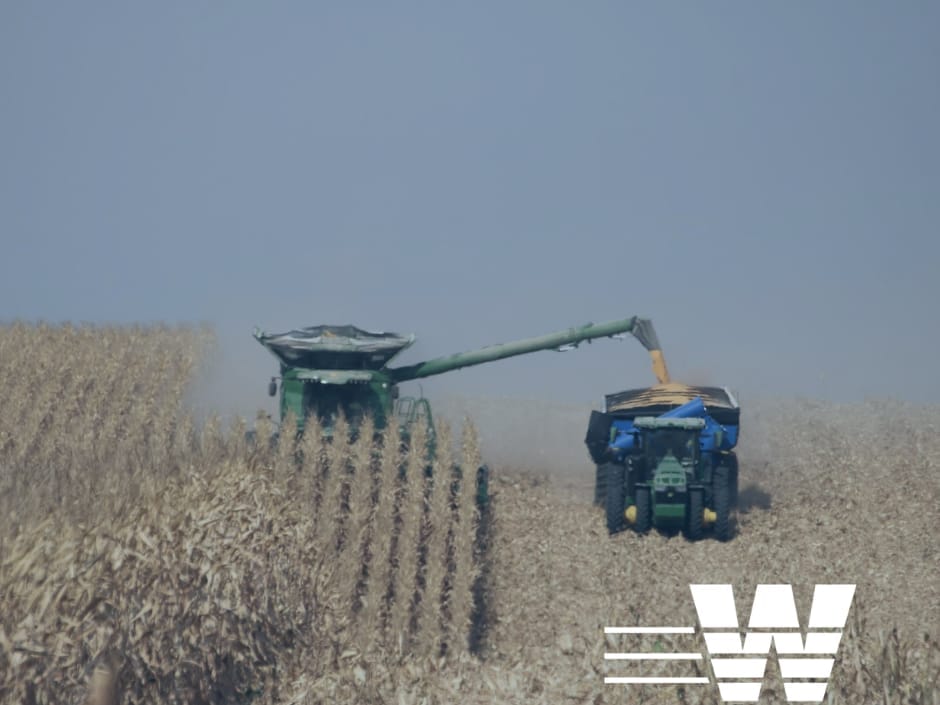
Ward Laboratories, agriculture
Integrations we've built
12+partner integrations connected or in development
MODUS standard support, direct lab-equipment connections, and a two-way bridge to a 20-year-old legacy system, all feeding one cloud lab platform.
- Helena
- FieldAlytics
- AgWorld
- SST Farmrite/ProAgrica
- SoilView
- MODUS standard
- LECO and Qtegra lab equipment
What does an integration project include?
Requirements gathered with every party involved, API design, data transformation, resilience, monitoring and alerting, and coordination across teams and vendors. Ongoing maintenance is scoped as its own engagement.
- RequirementsGathered with every party involved, including vendors and partner teams.
- API design and developmentThird-party connections and bridges to legacy systems.
- Data transformation and validationWith real-time or batch sync chosen to fit the need.
- ResilienceRetries, rate-limit handling, versioning and graceful degradation.
- Monitoring and alertingFor integration health, with runbooks.
- CoordinationAcross teams and vendors: release timing, ownership and escalation paths.
- Ongoing maintenanceScoped as its own engagement.
The first prototype, within week 1, is often a first connection moving real data between two systems, and the first demo, within 4 weeks, is a working integration with its monitoring visible.
How every project runsTell us which systems need to talk
Prefer to talk now(888) 369-1330- You list the systems and the partners.And the work people do by hand to bridge them.
- We map every party involved.Vendors and partner teams included, before anything is built.